Pradeep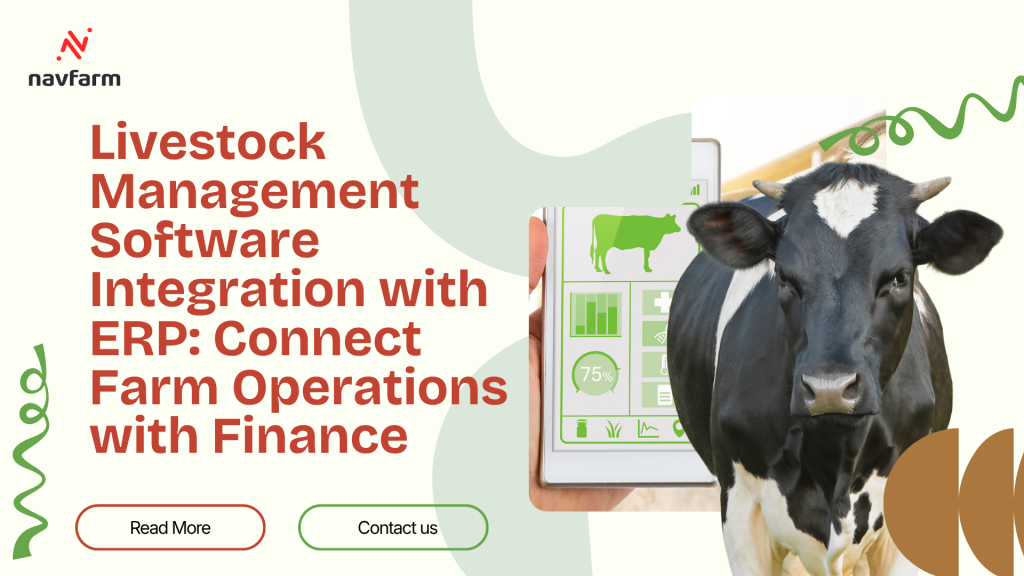
You May Not Need to Replace Your ERP to Digitize Livestock Operations
Many established livestock businesses already have an ERP.
It may be:
Microsoft Dynamics
SAP
Oracle
A regional ERP
A custom financial system
The ERP may already manage:
Finance
Purchasing
Inventory
Sales
Customers
Vendors
Tax
Banking
Management reporting
Replacing that entire system just because the farm needs better livestock management may not make business sense.
The real requirement may be different:
Keep the existing ERP and connect it with specialized Livestock Management Software.
This allows farm teams to manage animals and daily operations properly while finance continues working in the company’s existing ERP environment.
Why Livestock Farms Need Specialized Operational Software
A livestock farm works with events that a standard ERP may not naturally understand.
For example:
Animal birth
Breeding
Pregnancy
Farrowing
Calving
Weaning
Stage movement
Feed consumption
Body weight
Vaccination
Treatment
Mortality
Culling
Animal transfer
These events matter operationally.
But not every event needs to become a direct accounting entry.
A specialized livestock system can manage this biological detail while passing the relevant commercial and financial impact to ERP.
The Objective Is Not to Integrate Everything
This is one of the most important principles of ERP integration.
More integration does not automatically mean better integration.
If every field and every farm activity is pushed into ERP, the integration becomes:
Complex
Difficult to maintain
Slow
Hard to reconcile
The better approach is to identify which information the ERP actually needs.
Define the Role of Each System First
Before discussing APIs, the business should decide what each system is responsible for.
A typical model may be:
Livestock Management Software
Animal register
Farm
House or pen
Breeding
Birth
Lifecycle
Feed consumption
Weight
Health
Mortality
Farm activities
Operational traceability
Existing ERP
Item master
Vendor
Customer
Purchase
Financial inventory
Sales
Receivables
Payables
General ledger
Banking
Financial reporting
The final ownership model will depend on the customer’s existing architecture.
Master Data Comes First
Most integration problems begin with inconsistent master data.
Suppose the ERP calls a feed:
GF-001 Grower Feed
while the livestock system calls it:
Grower Feed A
The business may know they are the same.
The integration does not.
Shared masters therefore need agreed identifiers.
Which Masters May Need Integration?
Common examples include:
Item
Feed
Medicine
Vaccine
Consumable
Vendor
Customer
Farm
Location
Unit of measure
Cost centre
Business unit
Animal category
Not every master needs to exist in both systems.
Only shared information should be synchronized.
Choose the Master System
For every shared master, decide:
Where is it created?
Where is it edited?
Which system owns the final record?
For example:
ERP may own Item, Vendor and Customer.
Livestock software may own Animal, Flock, Batch and Breeding information.
This prevents duplicate ownership.
Farm Structure Versus ERP Structure
Livestock operations can have a very detailed physical structure:
Company
Farm
Shed
House
Pen
Animal group
Individual animal
The ERP may only require:
Company
Location
Cost centre
Trying to reproduce the entire farm structure in the accounting ERP may create unnecessary complexity.
Integration should transfer only the level required for financial control and reporting.
Feed Procurement
A common integrated process begins with feed procurement.
The ERP manages:
Purchase order
Supplier
Price
Receipt
Invoice
Payment
The livestock system needs to know what feed is available for farm use.
Relevant inventory information can therefore flow from ERP to the farm environment.
Feed Transfer to Farm
Feed may move from a central warehouse to a farm store.
The transaction should maintain:
Item
Quantity
From location
To location
Date
The livestock system can then show available farm stock.
Feed Consumption
This is where the livestock system adds operational detail.
Instead of recording only:
5,000 KG feed consumed
the farm can record:
5,000 KG
Farm A
Grower Batch 21
Age period
Feed type
Date
This creates the information required to analyse animal performance and cost.
What Should Flow Back to ERP?
ERP may not need every daily farm field.
It may need a summarized or transactional consumption posting such as:
Item
Quantity
Farm or cost centre
Posting date
Reference
The exact level depends on the financial design.
Medicine and Vaccine
Medicine integration follows the same principle.
ERP may manage:
Purchase
Inventory
Value
Supplier
The livestock system manages:
Animal
Batch
Treatment
Dose
Date
Reason
Medicine used
The relevant consumption can then be posted back to inventory and costing.
Animal Purchase
When livestock is purchased externally, the transaction touches both systems.
ERP needs:
Vendor
Purchase
Price
Invoice
Tax
Payment
Livestock software needs:
Animal ID
Breed
Sex
Weight
Age
Farm
Health
Batch
RFID where applicable
The integration should connect these without asking users to enter the same purchase twice.
Internally Born Animals
A newborn animal creates a different scenario.
There is no vendor invoice.
The livestock system records the biological event.
The financial treatment, if required, follows the company’s accounting and costing policy.
This is exactly why livestock integration cannot be designed like normal trading inventory.
Breeding Transactions
Activities such as:
Service
AI
Pregnancy
Expected delivery
Farrowing
Calving
Parity
Litter performance
are primarily operational.
Most do not need direct ERP transactions.
They should remain within the livestock system unless a specific business requirement calls for financial or management integration.
Animal Stage Movement
In pig farming, an animal group may move:
Piglet → Weaner → Grower → Finisher
The livestock system needs this movement because:
Feed changes
Cost changes
Performance targets change
Farm location may change
The ERP may only need relevant inventory, cost or dimension impact.
The integration should respect this difference.
Animal Transfers
An animal may move from one farm to another.
The livestock system records the physical livestock movement.
Where farms correspond to financial locations or legal entities, the ERP may also require a stock transfer or intercompany transaction.
Not every physical movement automatically needs the same financial treatment.
Mortality Integration
Mortality immediately changes the livestock population.
The farm records:
Animal
Batch
Quantity
Stage
Date
Reason
Weight where required
The ERP may need the corresponding financial impact according to the company’s livestock valuation policy.
The operational event should be recorded once and then processed correctly.
Culling and Disposal
Culling may lead to:
Sale
Disposal
Transfer
Other treatment
If the culled animal is sold, the commercial transaction can flow into ERP sales.
If it is disposed of, a different financial treatment may apply.
The integration should therefore understand the business outcome, not simply the word “cull.”
Animal Sales
Sales are another important integration point.
The livestock system may identify:
Animal
Batch
Quantity
Weight
Farm
Sale status
The ERP manages:
Customer
Price
Invoice
Tax
Receivable
Payment
Connecting these processes reduces duplicate data entry.
Weight-Based Sales
Some livestock businesses sell animals based on actual live weight.
For example:
250 pigs
Total live weight 27,800 KG
Rate per KG
The operational system can provide the actual animal and weight information.
ERP can use the approved commercial data for invoicing.
Farm Expenses
Not every farm cost originates from feed or medicine.
Expenses may include:
Labour
Electricity
Fuel
Maintenance
Utilities
Transport
Veterinary services
Other overheads
Many of these expenses originate directly in ERP.
The integration and reporting model should bring them together with livestock performance when calculating farm profitability.
Livestock Costing Needs Data From Both Systems
The livestock system knows:
Animal population
Feed consumed
Medicine used
Weight
Mortality
Stage
ERP knows:
Purchase cost
Expense
Freight
Labour cost
Supplier invoice
Financial adjustments
A meaningful cost per animal requires both sides.
Cost Per Animal
A connected costing model can help management analyse:
Feed cost per animal
Medicine cost per animal
Farm expense per animal
Stage cost
Mortality impact
Total cost
This is more useful than keeping farm performance and accounting expenses in separate reports.
Cost Per Batch
For group-managed livestock, batch costing may be more practical.
Management can compare:
Batch A
Batch B
Farm A
Farm B
Feed consumed
Weight gained
Mortality
Cost
Sale value
Margin
Farm to Finance Integration
The ideal flow is not:
Farm team enters data.
Finance enters it again.
Management reconciles both at month-end.
A better flow is:
Farm Activity → Livestock System → Validated Business Transaction → ERP → Finance → Management Reporting
This is the real purpose of integration.
Real-Time Integration Is Not Always Necessary
Businesses often ask for everything to be real time.
That may not always be required.
Some transactions may need immediate synchronization.
Others may be transferred:
Hourly
Daily
On approval
At batch close
The right frequency depends on business impact.
API Integration
Where supported by both systems, APIs can provide structured system-to-system communication.
Typical API integration may include:
Master synchronization
Inventory availability
Consumption
Sales
Transfers
Cost information
Transaction status
The actual interfaces depend on the ERP being used.
File-Based Integration
Some existing ERP systems may not provide suitable APIs.
In such cases, controlled file-based integration may still be possible using agreed formats.
The important requirements are:
Validation
Unique transaction references
Error reporting
Duplicate prevention
Reconciliation
Do Not Ignore Integration Errors
An integration is not successful simply because data normally moves automatically.
The real test is what happens when it does not.
The solution should identify:
Failed transaction
Reason
Date
Source system
Reference
Retry status
Users should not discover missing transactions during month-end reconciliation.
Duplicate Prevention
Every integrated transaction should have a unique reference.
If the same transaction is sent twice, the ERP should not create two financial postings.
Duplicate control is a basic but critical integration requirement.
Reconciliation
Farm and ERP systems should be periodically reconciled.
For example:
Farm feed consumption versus ERP issue
Farm medicine consumption versus ERP issue
Animal sales versus ERP sales
Farm transfer versus ERP transfer
Mortality versus financial adjustment where applicable
Integration reduces manual work, but it does not remove the need for control.
Approval Before ERP Posting
Some businesses may not want every farm transaction posted automatically.
A workflow can be designed where:
Farm user enters transaction
Supervisor reviews
Transaction is approved
ERP posting occurs
This provides stronger control for financially sensitive transactions.
Integration With Microsoft Dynamics 365 Business Central
NAVFarm can integrate with Business Central where the customer uses Microsoft’s ERP environment.
Potential integration areas can include:
Items
Inventory
Purchasing
Consumption
Sales
Customers
Vendors
Dimensions
Financial transactions
The exact scope should be defined during solution design.
Integration With Other ERP Systems
A livestock management solution does not necessarily require the customer to replace an existing ERP.
Where the existing ERP supports suitable integration methods, NAVFarm can be assessed for integration with platforms such as:
SAP
Oracle
Other enterprise ERP environments
Custom ERP systems
The final architecture depends on:
ERP capabilities
API availability
Business requirements
Transaction volume
Security
Customer IT policy
Why This Matters for Large Livestock Companies
A large livestock group may already have invested heavily in its ERP.
Finance teams are trained.
Processes are established.
Management reporting exists.
Changing the complete ERP just to improve farm operations can create unnecessary disruption.
A specialized livestock layer allows the company to improve animal and farm management while protecting its existing ERP investment.
Multi-Farm Integration
A group may have:
10 farms
One central ERP
Several warehouses
Different farm teams
NAVFarm can capture farm-level operations while the ERP continues to provide consolidated commercial and financial control.
This gives local operational visibility without fragmenting corporate finance.
Multi-Country Operations
International livestock groups may also operate under different:
Currencies
Taxes
Legal entities
Accounting structures
The central ERP may already manage these requirements.
The livestock system can focus on standardized animal and farm operations while integration connects relevant transactions to each legal entity.
Security
Integration should not require farm users to have unnecessary access to financial information.
Farm users may work only with livestock functions.
Finance users work in ERP.
The systems exchange approved information behind the scenes.
This creates cleaner role separation.
Audit Trail
Every integrated transaction should be traceable.
Management should know:
Where it originated
Who entered it
When it was approved
When it moved to ERP
ERP document number
Whether it was changed or reversed
This becomes important for financial control and audit.
A Practical Pig Farm Integration Example
A pig farm uses NAVFarm for animal operations and an existing ERP for finance.
The process could work as follows:
Feed is purchased in ERP.
Feed stock becomes available to the farm.
Farm receives the feed.
NAVFarm records daily consumption against the relevant pig batch.
Approved consumption is transferred to ERP.
ERP reduces inventory and records the financial impact.
NAVFarm uses the consumption for batch performance and costing.
When pigs are sold, animal quantity and weight connect with the ERP sales process.
One transaction supports both farm management and finance.
A Practical Cattle Integration Example
A cattle company purchases animals through its ERP.
The receipt creates the commercial purchase.
Relevant information is transferred to NAVFarm.
Animals are individually registered using RFID.
During their lifecycle, the farm records:
Weight
Feed
Treatment
Vaccination
Movement
When the animals are sold, the operational sale information connects with the ERP invoice process.
Management gets animal-level traceability without replacing the existing finance system.
Questions to Ask Before Integrating Livestock Software With ERP
Before starting the project, ask:
Which ERP is currently used?
Which farm processes are missing?
Which masters need to be shared?
Which system owns each master?
Which transactions need integration?
What level of transaction detail does ERP require?
Should posting be real time or scheduled?
What approvals are required?
How will failed transactions be handled?
How will duplicates be prevented?
How will systems be reconciled?
Which system owns financial truth?
Who supports the integration after go-live?
These questions should be answered before development begins.
What to Look for in Livestock ERP Integration
A strong integration design should support:
Clear system ownership
Master-data governance
Livestock-specific operations
Inventory synchronization
Feed consumption
Medicine consumption
Animal purchase
Animal sales
Transfers
Mortality treatment
Costing
Approval
API or suitable interface
Error handling
Duplicate prevention
Reconciliation
Security
Audit trail
Multi-farm operations
Frequently Asked Questions
Can livestock management software integrate with an existing ERP?
Yes. If the existing ERP provides suitable integration options, livestock operations can be connected without necessarily replacing the financial ERP.
Does NAVFarm only work with Microsoft Dynamics 365 Business Central?
No. NAVFarm can work with Business Central as a connected ERP environment, and integration with other ERP systems can be assessed based on the customer’s ERP, available interfaces and business requirements.
Can NAVFarm integrate with SAP or Oracle?
Integration can be assessed where the ERP provides suitable APIs, interfaces or other approved integration methods. The final scope depends on the customer’s system and architecture.
Does every farm transaction need to go to ERP?
No. Only transactions required for inventory, costing, sales, accounting or agreed management reporting need to be integrated.
Can farm users continue using a simple livestock application instead of the ERP interface?
Yes. One of the benefits of the architecture is that farm users can work with livestock-specific processes while finance continues using the ERP.
Can integration reduce duplicate data entry?
Yes. Proper integration allows relevant transactions to move between systems instead of being manually re-entered.
Can livestock costing use information from both systems?
Yes. Farm operational data and ERP financial data can be combined according to the agreed costing model.
Keep the ERP. Fix the Farm Operations Gap.
A livestock company does not always need another full ERP.
Sometimes the corporate ERP is already doing its job well.
The missing piece is at the farm.
Animals, breeding, feed, weight, health, mortality and lifecycle activity need a system designed around livestock operations.
The practical approach is to let each system do what it does best and connect them where the business process requires it.
Livestock Operations → Inventory → Costing → Sales → ERP → Finance
That gives farm teams the operational depth they need while allowing finance and management to continue working within the company’s established ERP environment. For established livestock businesses, that can be a much more practical route to digitization than replacing everything they already have.
Book a Free Demo